

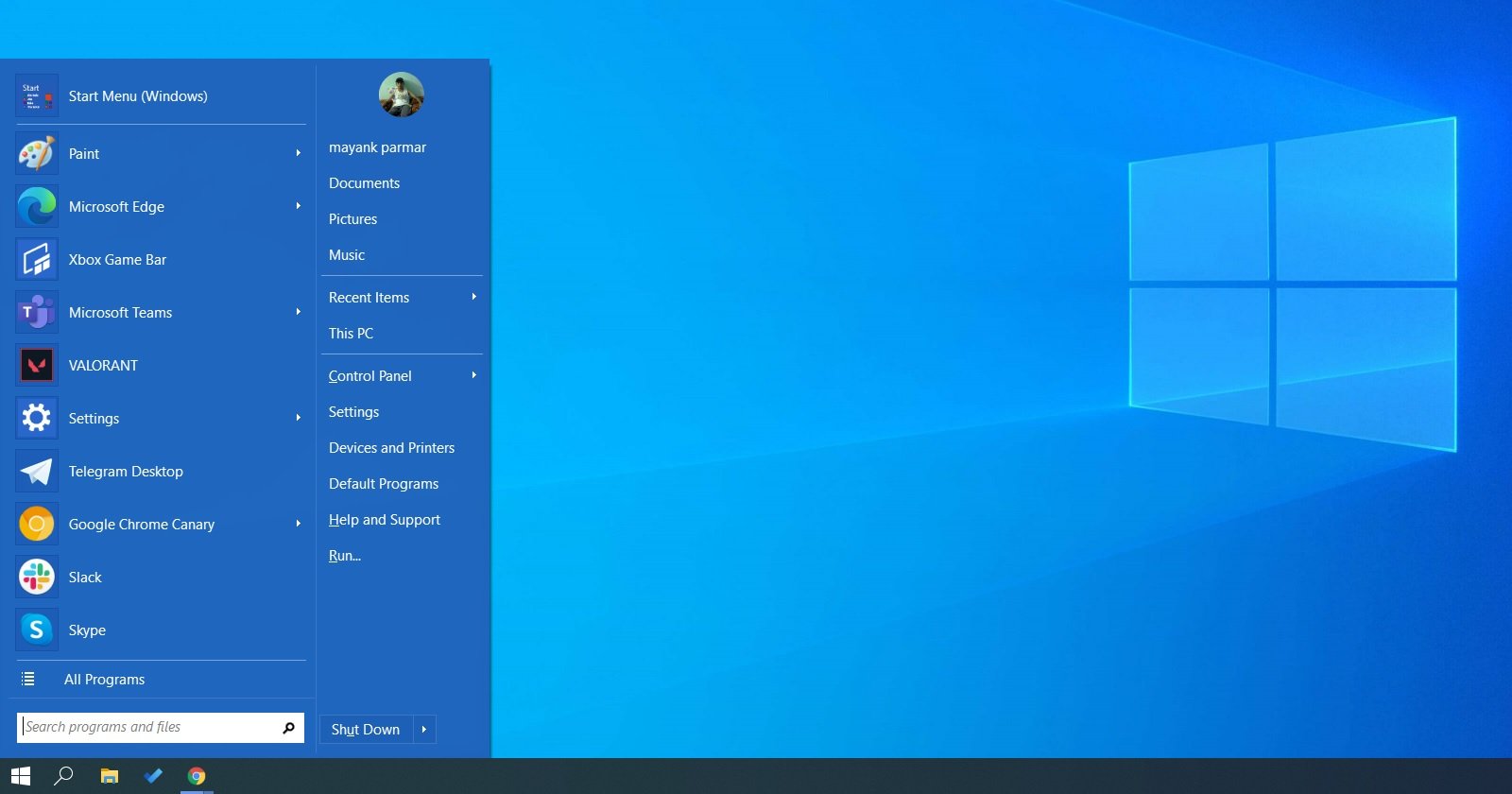
Open Shell, originally known as Classic Shell, is open-source software that allows you to replace the standard Start Menu on Windows 10 and Windows 8. Open Shell originally came out as Classic Shell in 2009 and it has been around for a while.
With Open Shell, you can change the appearance of the Start Menu and replace with the likes of Windows 7.
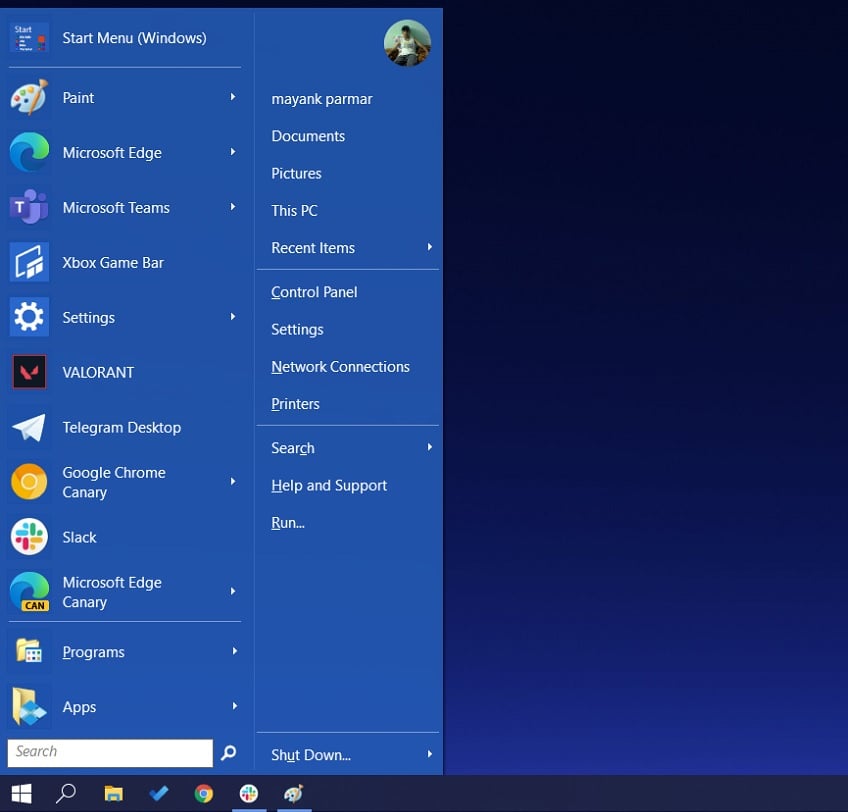

On Windows 8, Open Shell has been configured to bypass full-screen Start Menu and boot directly to the desktop.
On Windows 10, Microsoft already allows users to access the Start Menu directly from the desktop, but you can use this open-source tool to recreate classic Windows 7 experience.
Key features of Open Shell:
- Works on Windows 7, 8, 8.1, 10
- Allows you to enable toolbar for Windows Explorer
- Enable Classic copy UI (Windows 7 only).
- Show file size in Explorer status bar.
- Title bar and status bar for Internet Explorer.
How to enable Windows 7-like Start Menu on Windows 10
A really nice feature is that for those who do not wish to use Windows 10's tile-based Start Menu, Open Shell allows you to recreate the Windows 7-like Start Menu.
To replace Windows 10 Start Menu with Windows 7 Start Menu, follow these steps:
- Go to the Github and download the Open Shell program.
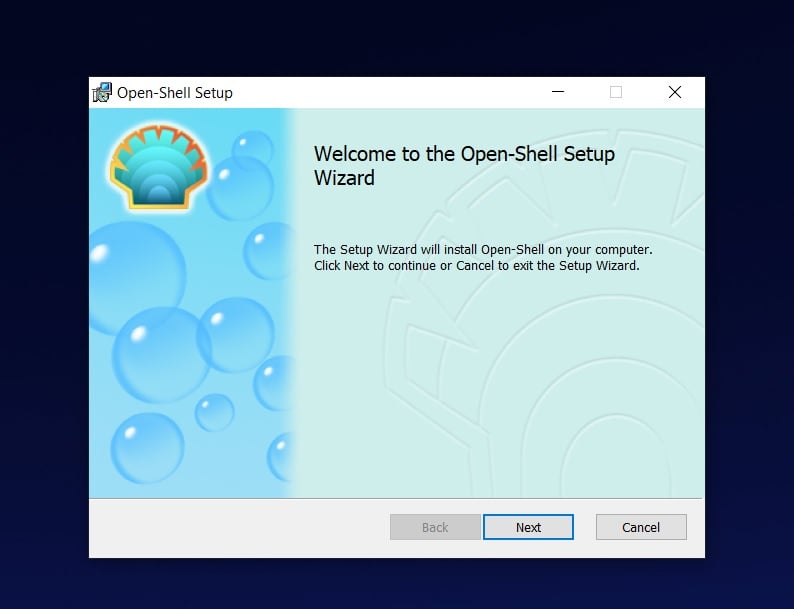
- Launch the installer.
- Click on the Next button.

- Click the Install button on the following screen.
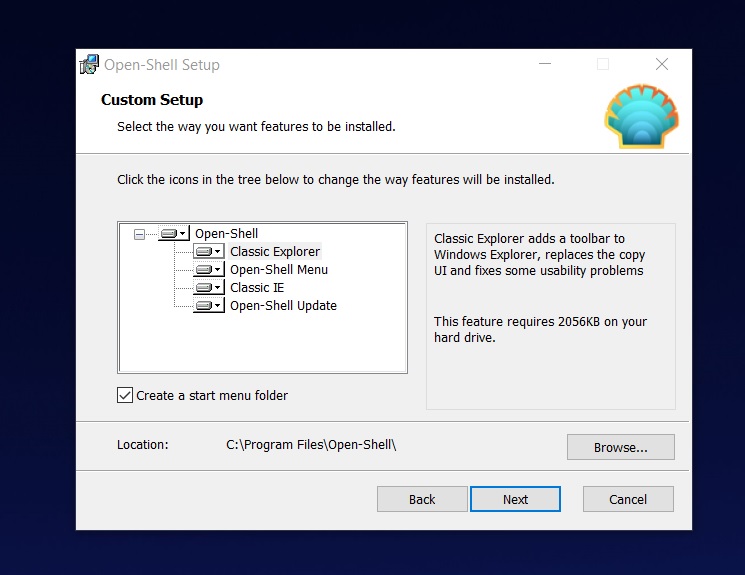
- If you want only the Start Menu, make sure that you remove the Classic Explorer and Classic IE so that they will not be installed. When you have done this for both options, click next.
- The setup program will now start the installation process.
-
Click on 'Next'.
- Windows will display a User Account Control prompt asking for administrator permission. Click on 'Yes' if you would like the program to install on your computer.
- Click on the Finish button
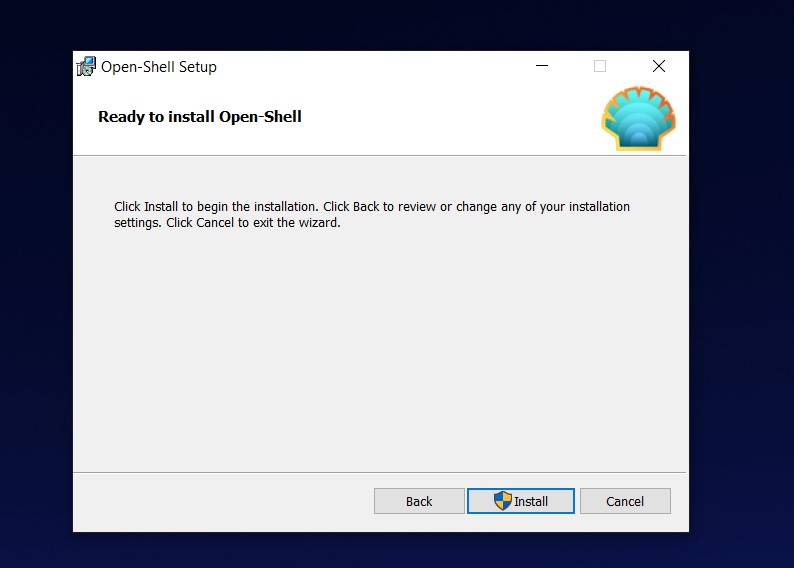
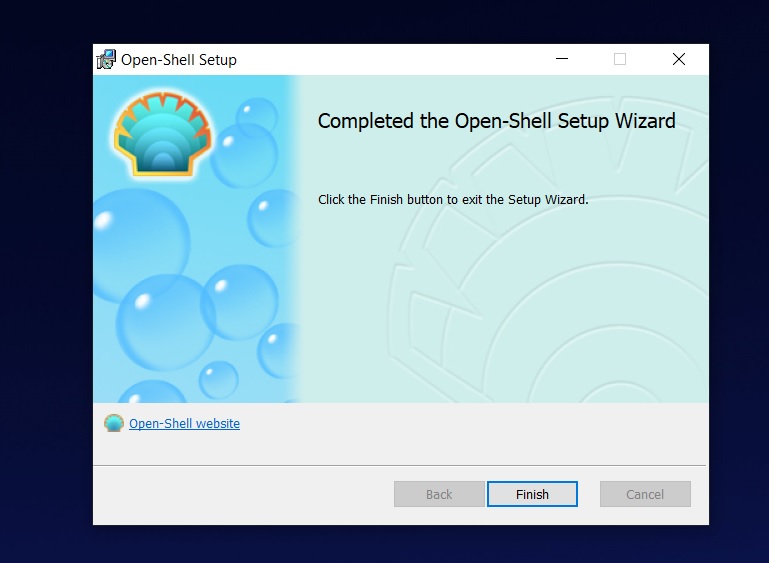
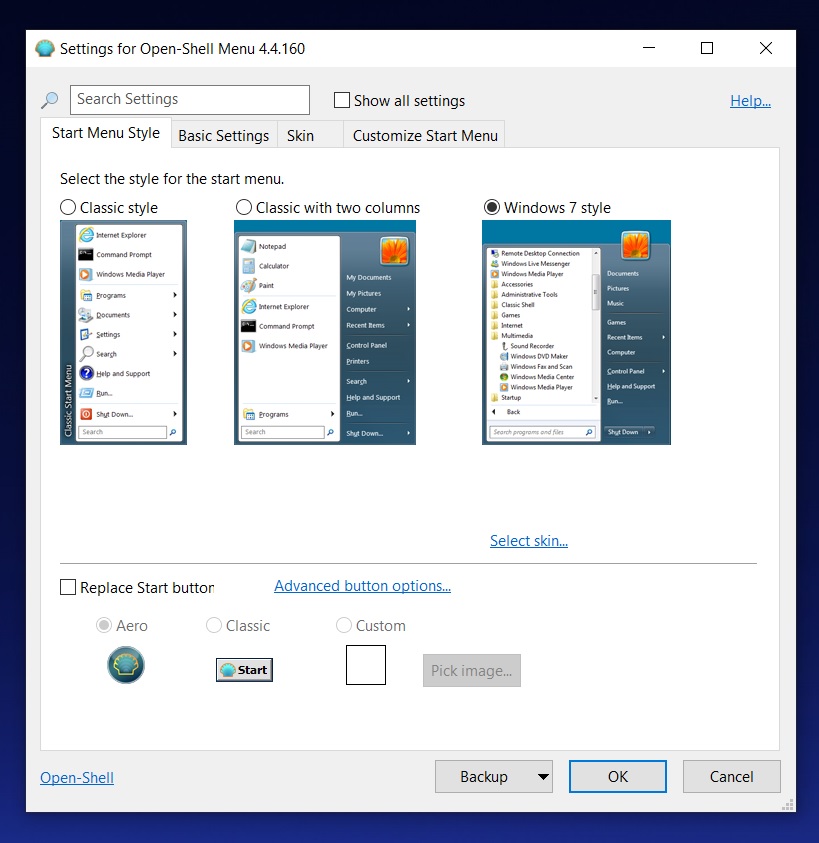
Once done, click on the Start button to access the configuration page where you have to select the Start Menu style.
The appearance of Open Shell menus
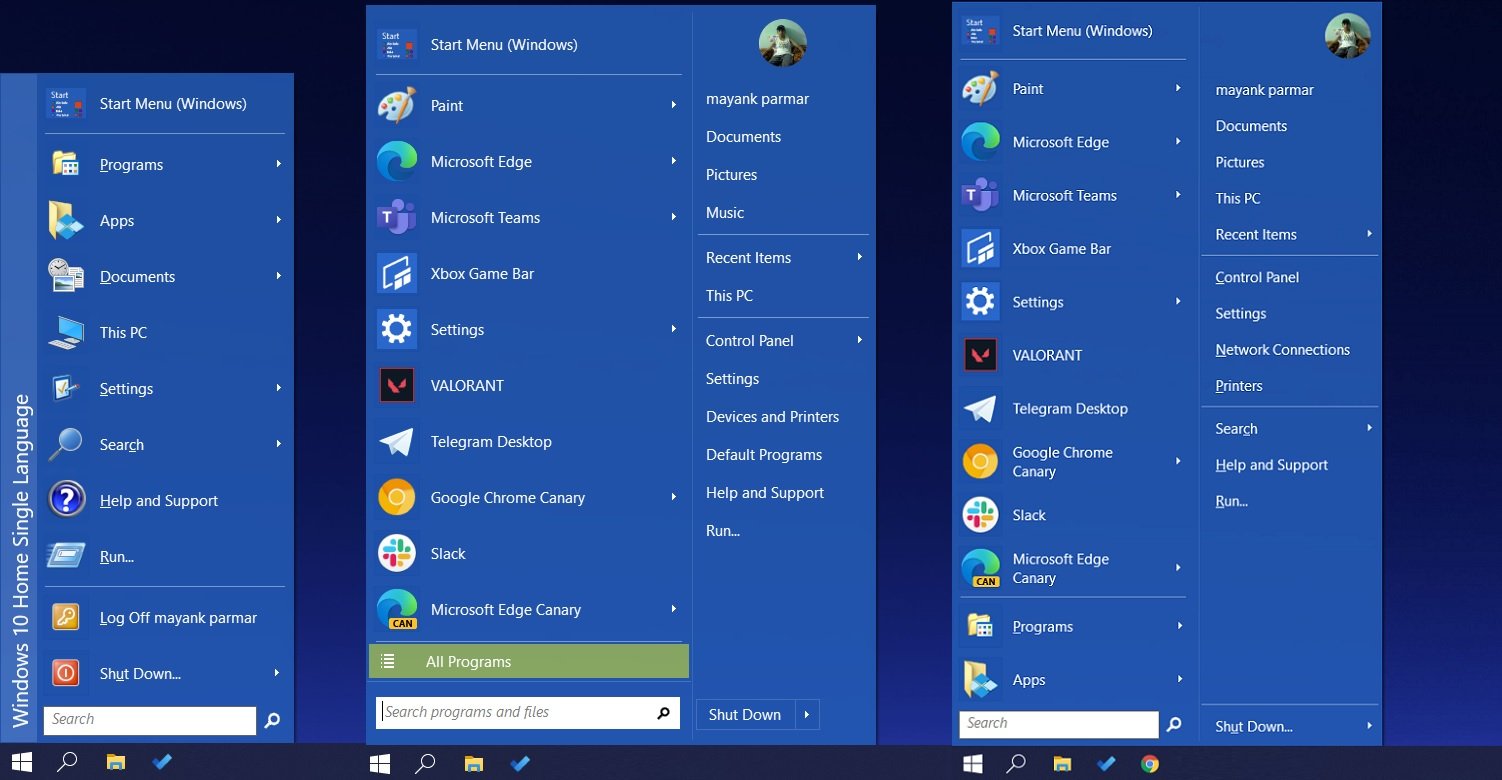
Open Shell offers three versions of Start Menu:
- Classic Shell - This version of Start Menu will only show your recently used apps and all apps list.
- Classic Shell with two columns. This version of the Start Menu will show your recently used and settings.
- Windows 7 Style: This version of Start Menu recreates the Start Menu UI from Windows 7-era.
You can also open the 'Basic settings' menu of the Open shell to access the advanced settings, as shown in the screenshot below.

The above screen allows you to configure basic options, including the action when you left-click the start button.

Break down IAM silos like Bitpanda, KnowBe4, and PathAI
Broken IAM isn't just an IT problem - the impact ripples across your whole business.
This practical guide covers why traditional IAM practices fail to keep up with modern demands, examples of what "good" IAM looks like, and a simple checklist for building a scalable strategy.






Comments
Pkshadow - 5 years ago
As well as giving you access to all the Control Panel Applets, what keeps being over looked and never stated on other reviews is direct access to the System Applet.
Open Shell (Classic Shell) was the only reason that I upgraded to Win 10 when it was released.
Hoping longevity in it's new home on Github as open source.
DrkKnight - 5 years ago
In my opinion , StartIsBack is a much better option for a Windows start menu, it is fully compatible with custom themes and it more closely emulates the Windows 7 start menu then Open Shell. It's owner is 100% committed in keeping it updated with every single new version of Windows and updates are put out most times before the new version of Windows.
noelprg4 - 5 years ago
but the only downside to using StartIsBack is that it is not free
Open Shell, on the other hand, remains free
DrkKnight - 5 years ago
For the $4 that StartIsBack costs, it is worth it, what is free is not always best, believe me , my employer makes us use Open Shell at work ..... spend the $4
pnamajck - 5 years ago
thanks for the article, mayank-parmar … was elated to find out classic-shell is not dead after all … open-shell has taken it's place. tried win-8 for one week as oem … swearing under breath … landed on classic-shell's website … never looked back. best parts: the program is open-source … and free.
if classic-shell had not been available … i'd have completely wiped the os … and replaced it with one of linux's distros. have not yet tried open-shell … my classic-shell has remained tight for these past 7+ years. if ever i replace my current computer … and decide to keep the oem microsoft incarnation … veritably, i will utilize open-shell.
JayJax - 2 years ago
Did the follow this topic change or its not available? I mean if I dont comment on topic can I still follow it?
JayJax - 2 years ago
Did the follow this topic change or its not available? I mean if I dont comment on topic can I still follow it? . i have to day that I too am happy to see open shell on windows 11. Much friendlier to navigate