

The Your browser has been locked Ransomware is a web page containing javascript that does not allow you to close the browser window or switch to a different web page. This browser hijacker pretends to be a message from the FBI Cyber Department that states that they have blocked your web browser and encrypted your files due to illegal activity. It goes on to say that you need to pay a ransom of $300 in order to get access to your files and computer again. In order to pay this ransom you need purchase a MoneyPak voucher and submit it in the web browser.
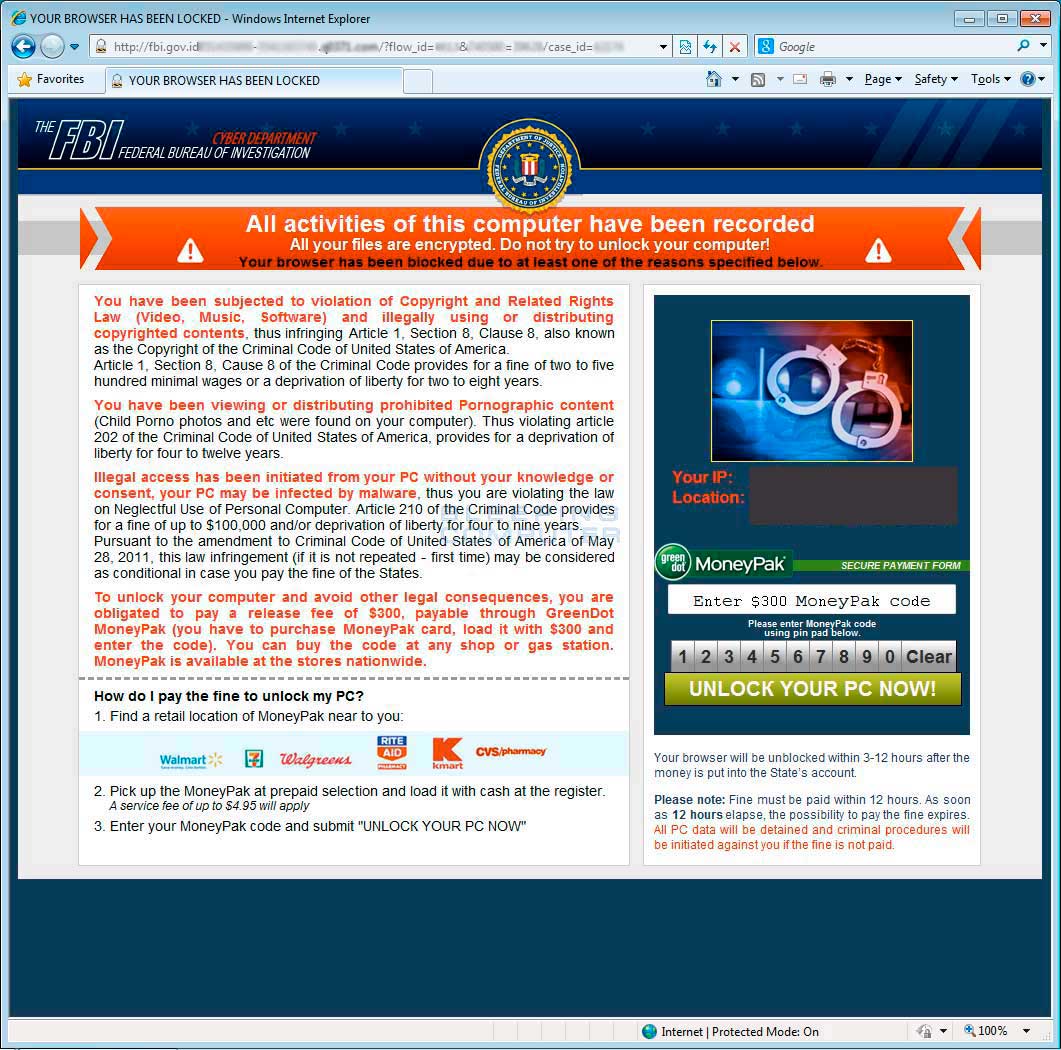
The text of the Your computer has been locked browser hijack screen is:
The FBI
Federal Bureau of Investigation
Cyber DepartmentAll activities of this computer have been recorded
All your files are encrypted. Do not try to unlock your computer!
Your browser has been blocked due to at least one of the reasons specified below.You have been subjected to violation of Copyright and Related Rights Law (Video, Music, Software) and illegally using or distributing copyrighted contents, thus infringing Article 1, Section 8, Clause 8, also known as the Copyright of the Criminal Code of United States of America.
Article 1, Section 8, Cause 8 of the Criminal Code provides for a fine of two to five hundred minimal wages or a deprivation of liberty for two to eight years.You have been viewing or distributing prohibited Pornographic content (Child Porno photos and etc were found on your computer). Thus violating article 202 of the Criminal Code of United States of America, provides for a deprivation of liberty for four to twelve years.
Illegal access has been initiated from your PC without your knowledge or consent, your PC may be infected by malware, thus you are violating the law on Neglectful Use of Personal Computer. Article 210 of the Criminal Code provides for a fine of up to $100,000 and/or deprivation of liberty for four to nine years.
Pursuant to the amendment to Criminal Code of United States of America of May 28, 2011, this law infringement (if it is not repeated - first time) may be considered as conditional in case you pay the fine of the States.To unlock your computer and avoid other legal consequences, you are obligated to pay a release fee of $300, payable through GreenDot MoneyPak (you have to purchase MoneyPak card, load it with $300 and enter the code). You can buy the code at any shop or gas station. MoneyPak is available at the stores nationwide.
Your browser will be unblocked within 3-12 hours after the money is put into the State's account.
Please note: Fine must be paid within 12 hours. As soon as 12 hours elapse, the possibility to pay the fine expires. All PC data will be detained and criminal procedures will be initiated against you if the fine is not paid.
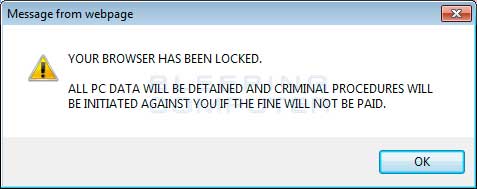
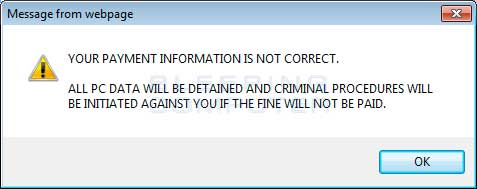
The text of the popup that is displayed when you try to close the browser window is:
Your browser has been locked.
All PC Data will be detained and criminal procedures will be initiated against you if the fine will not be paid.
Without a doubt, this is an alarming message and was only created to scare you into paying the ransom. As there is nothing wrong with your computer and this is just a web page, please do not pay the ransom and instead use the removal guide below to learn how to close your browser.
Your browser has been locked Ransomware Removal Options
Self Help Guide
If you are uncomfortable making changes to your computer or following these steps, do not worry! Instead you can get free one-on-one help by asking in the forums.
- Print out these instructions as we may need to close every window that is
open later in the fix.
- As Now we need to end the two processes associated with Windows Police Pro
as they do not allow you to run any applications that we will need to remove
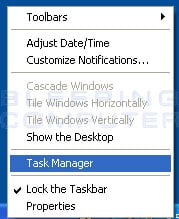
this program. To do this we need to launch the Windows Task Manager by right-clicking
on the time in the Windows task bar and then selecting Task Manager.
The menu showing the Task Manager option is shown below.

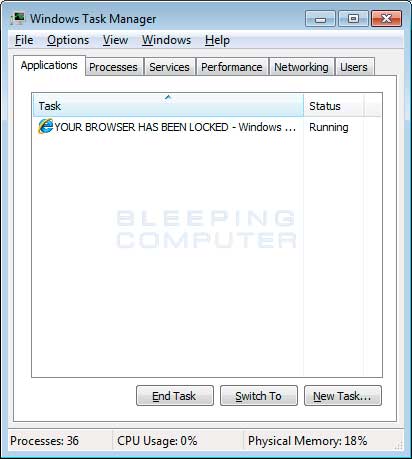
- When Task Manager is started you will be in the Applications section as
shown below.
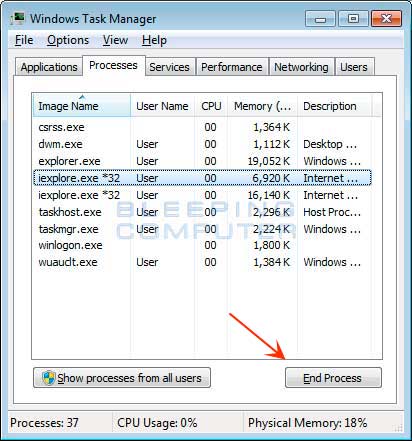
At this point you should click on the Processes tab. - You will now be at a screen that shows the running processes on your computer.
Click on the button labeled Show processes from
all users as shown in the image below. Then scroll through the list till you see your web browser's process and left-click on it once so it becomes highlighted. Once you have selected the browser's process, click on the End Process button as shown by the red arrow in the picture above. If you are unsure of the process name to close, please see the table below:
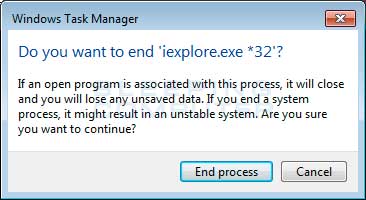
If you are using this browser: End this process: Internet Explorer iexplore.exe Chrome chrome.exe Safari Safari.exe SeaMonkey seamonkey.exe Opera opera.exe Firefox firefox.exe - When you click on the End Process button, Task Manager will ask you to confirm
if you are sure you want to terminate it as shown in the image below.
At this point you should press the Yes button in order to kill the process. - Your browser window should now be closed. The next time you open your browser, do not allow the browser to open the last opened page.
Your computer should now be free of the Your browser has been locked Ransomware hijacker.



